One of the most requested features on Microsoft's UserVoice forum was the Support for Dynamic '+' Email Aliases in Office 365. This has been pending since 2017 and Microsoft finally implemented it in September 2020. Woohoo! However, it's not enabled by default in Exchange Online, so we'll have to turn it on.
11 posts tagged with "powershell"
View All TagsPowerShell - Get WHOIS domain information
Recently, I needed to review a whole bunch of domains and see if the domain information is up to date. I'm sure there are plenty of ways to do this but seen as there was quite a few (100+) I'd thought I would create a quick and dirty PowerShell script.
Exchange - Connect via PowerShell using Modern Authentication
Microsoft announced a while back that they are going to end support for basic authentication in Exchange Online from Oct 13, 2020. This includes connecting via remote PowerShell.
Exchange Online - Enable group moderation and sending restrictions
Whether it be a large group or one that has restricted users, you may need to limit who can send to these mail enabled security groups. In addition, you may even want to enable moderation to allow specific users to approve/deny messages from reaching the members.
The good news is that all this can be done by using AD and Exchange to enable group moderation.
SharePoint - Bypassing 5,000 item limit via PnP
If you've used SharePoint Online before you've probably come across some of it's limitations. Of course you can store up to 30 million items or file in a SharePoint list but if a list view shows more than 5,000 item then you will probably see a nice error either in the web UI or from console if you use any of the SharePoint tools.

Exchange PowerShell - Get calendar folder permissions in any language
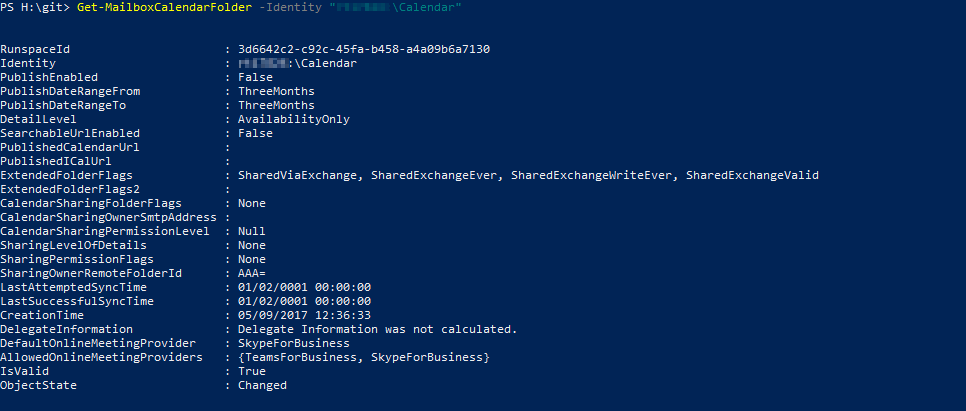
Getting a user's calendar folder permissions in Exchange via PowerShell is pretty straight forward as you can just use the standard :\\Calendar naming convention like below:
Get-MailboxFolderPermission -Identity user@domain:\\Calendar
PowerShell - Where is the command history stored?
Every command you type into a PowerShell console is recorded in a single file in the current user's app data directory. This is useful when you need to refer back to a command you entered but it can be security risk if you've entered sensitive data in plain text (like passwords or user data). In those cases try to use secure objects like PSCredential for usernames and passwords.
PowerShell - Fix Unable to load adalsql.dll exception
I have quite a few databases in Azure and use PowerShell from time to time to connect and execute queries on them. This is pretty straight forward and normally works as intended. However, sometimes I get the following exception:
Unable to load adalsql.dll (Authentication=ActiveDirectoryPassword). Error code: 0x2. For more information, see http://go.microsoft.com/fwlink/?LinkID=513072
Exchange PowerShell - Publish Room / Equipment Calendars
So you've got some resource (rooms/equipment) calendars in Exchange that you need to make the calendars public for. You can use PowerShell to accomplish this quite easily.

Exchange PowerShell - Evaluating expressions in the Filter parameter
Recently I needed to get a bunch of groups from Exchange by their ExternalDirectoryObjectId property. There are many ways to do this and one of the easiest would be to just get the Name (or other unique identifier) by looking up the group in AAD via MSOL PS. However, you can use the -Filter parameter for Get-DistributionGroup cmdlet and specify the id:
Get-DistributionGroup -Filter { ExternalDirectoryObjectId -eq $group.ExternalDirectoryObjectId }